
One price. $399 a year.
Manage your own listing and appear on a buyer guide. We publish 144 guides and cap each one at 5 companies. We review every submission, and we don't charge your card until we approve it.
- Your listing, yours to edit at any time
- A place on one buyer guide, included
- Verified badge, and your website linked from your listing
- Logo, screenshots, documentation and pricing links
- A contact form on your listing, so inquiries reach your team directly
- Up to three documents and a short video. Every download reaches you as a named lead
- Listed in search, on category pages and in our AI assistant
More guides are $199 each. If your category has no live guide yet, the listing on its own is $199. When we publish one you're eligible for, your first guide is $200: the difference, so you pay the same $399 either way.
Claim my listingNothing is charged until we approve it
An editor reviews every listing within a few business days. We keep your card on file and charge it once we approve. If we can't approve the listing — the category doesn't fit, or we can't confirm it's your company — you aren't charged and nothing shows up on your statement. The details are in the Directory and Buyer Guide Terms.
Notice before any price change
These are not introductory rates. If we change a price later, an existing subscription keeps its own rate, and we give you at least 30 days' notice by email before a change affects your renewal.
What we don't promise
We sell a place on the guide and a listing you control. We don't sell leads, traffic, rankings, or a place in the guide's analysis. Every inquiry and every document request reaches you in full, with the buyer's name, title, company and work email. Section 9 of the Directory Terms.
What we ask in return: answer them. We tell every buyer on our page that you will be in touch. Your portal shows how long each one has waited and lets you mark it answered. We remind you twice, then stop.
Featured Vendor
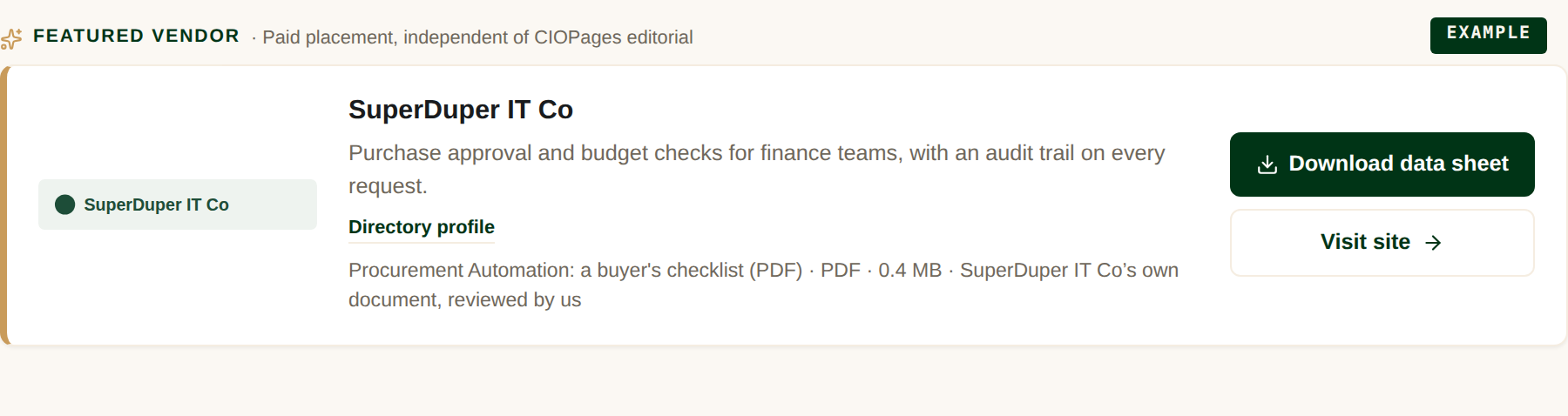
A band of its own above the Spotlight cards, carrying a document readers can request. Only one company can hold it on a guide. The claimed listing is included in the price. Bought the same way as a Spotlight card. Choose your guides.
What things cost
Every price, in one table.
| Being listed | Free, always | We compile the Directory ourselves. Corrections are free for anyone, whether or not you are a customer. |
|---|---|---|
| Your first guide | $399 / year | A Spotlight card on the guide you choose, and the listing becomes yours to edit. Add your logo, link to your site, and buyer inquiries come to you. |
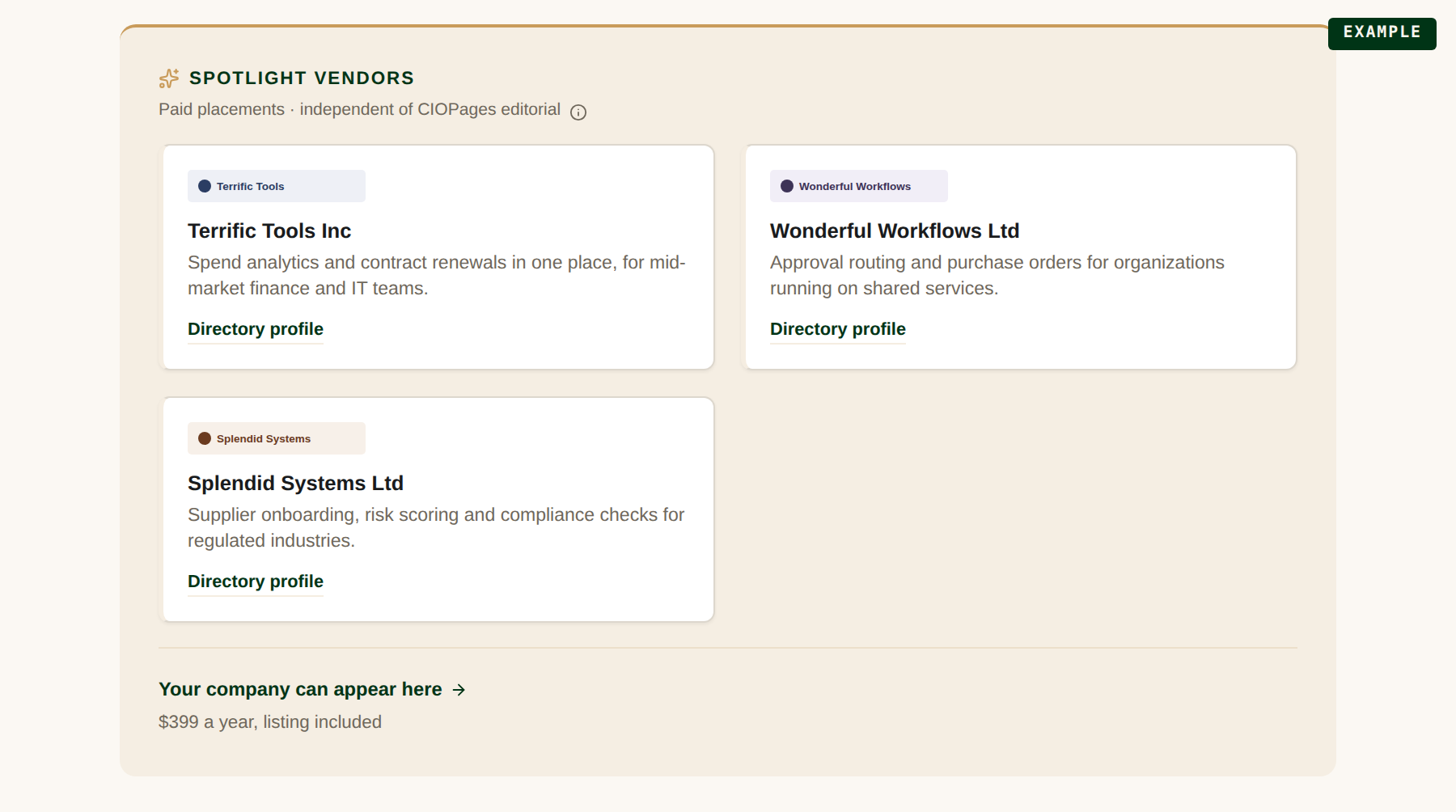
| Each additional guide | $199 / guide / year | The same card on another guide, renewing on the same date. Each guide has 5 Spotlight slots. |
| Featured Vendor | $699 / guide / year | The one band above the Spotlight cards. Only one company can hold it on a guide. It carries a document readers can request, and the claimed listing is included. |
All prices are annual, and nothing is charged until an editor approves your submission. If we change a price it applies to new purchases only: an existing subscription keeps its rate, and we give at least 30 days' notice by email before a change affects a renewal.
What it looks like on a guide
Taken from the real pages. The companies are invented — SuperDuper IT Co and the rest are examples, not customers.
How it works
Find your company
We already list 1,700+ companies. If yours is one of them, we open that listing instead of creating a second one.
Choose your guides and submit
We suggest the guides your category maps to, and you can search all 144 of them if the one you belong on isn't in the list. One page, one price, one card entry. We validate your card and hold it. Nothing is charged.
We review
An editor checks that the listing is yours, that the category fits, and that the content meets our standards. A few business days. We may edit the wording for accuracy.
You go live
When we approve it, we charge for the year, publish your listing and add your placement to the guide. If we can't approve it, you're not charged.
Find your company
We put these listings together from public sources. Search for yours, then claim it so it describes your company, your products and what they do.
Always free
- Being listed. 1,700+ companies already are.
- Reporting an error in any listing. We fix it whether or not you pay us.
- Telling us about a company we've missed.
- Being covered in a guide's vendor comparison, on merit.
What we don’t sell
- A place in the guide's vendor analysis, or a better position in it
- Leads, traffic, or a number of clicks. We do not sell an outcome
- A say in what our editors write about you or your market
- Rankings, review scores, or an editorial mention
Every paid placement is labeled and sits outside the analysis. See how paid placements work and our Editorial Policy.
Vendor Listings & Spotlight Placements (PDF)
Listings, claiming one, and Buyer Guide placements: prices, what you get, and what a placement does not buy. Nothing about writing for us. Prices and terms as published. If the PDF and this site disagree, the site is right.
The Executive Forum is a paid byline under your own name, in a section separate from our editorial coverage. It is a different thing from advertising on a guide, and it does not affect what our guides say about you.
Claim your listing
One page, one price, and nothing charged until we approve it.