
The idea behind it
AI coding assistants often suggest third-party packages, and some of those suggestions are wrong. A model can name a package that does not exist, because the name sounds plausible. Attackers have learned to register such names on public registries and fill them with malicious code, a variant of typosquatting sometimes called slopsquatting. Other suggestions are real but abandoned, carry a license the project cannot use, or have known vulnerabilities in the version the model happened to recall.
Vetting a dependency means checking it before it enters the codebase, not after a scanner flags it. The checks follow the software supply chain. First, confirm the package exists under the exact name on the official registry. Then judge maintainer health from commit history, maintainer count and recent ownership transfers, since transfers have been used to push malicious updates. Check the license by its SPDX identifier, and scan the chosen version and its transitive dependencies for CVEs in databases such as OSV and the GitHub Advisory Database. Supply chain checks follow: add the package to the software bill of materials, verify build provenance through frameworks such as SLSA and Sigstore for high-risk packages, review install scripts, and pin the version. Recording the result in the pull request shows later reviewers who vetted it and when.
What's inside
- A header for the package, registry, version, pull request, reviewer and date.
- Step 1, is the package real: registry search, typosquatting check and whether it does what the AI said.
- Steps 2 and 3, maintainer health and license: last commit, maintainer count, ownership transfers, license compatibility and license changes.
- Steps 4 and 5, vulnerabilities and supply chain: CVE scans including transitive dependencies, SBOM update, build provenance, install scripts and version pinning.
- Step 6, internal approval against your approved dependency list.
- A sample vetting log of five packages, including one an AI made up.
Format: PDF (4 pages).
A look inside
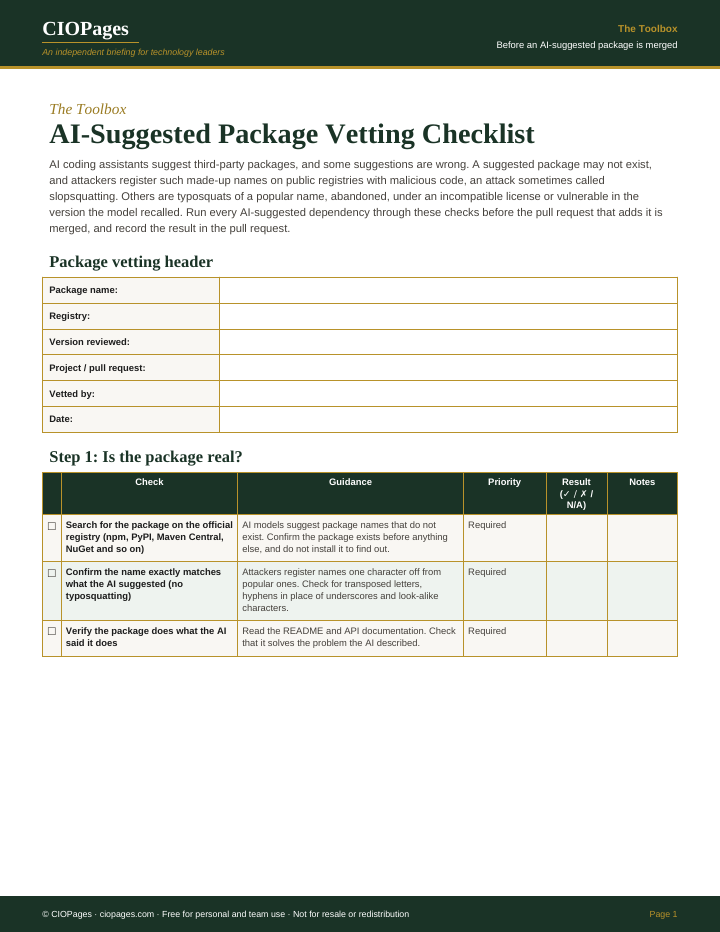
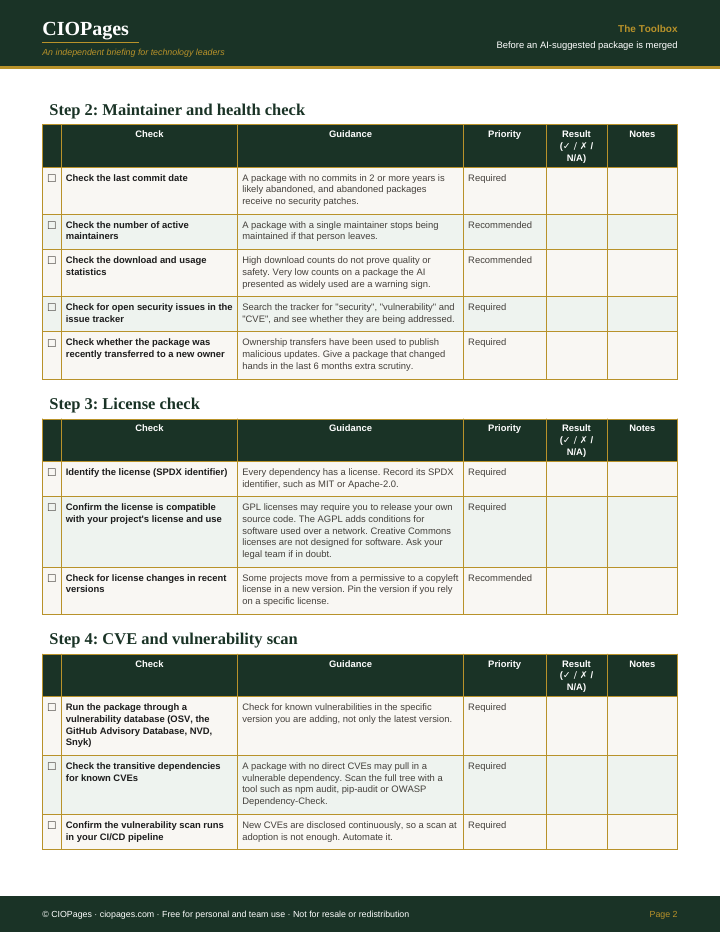
Pages 1 and 2 of 4 of the PDF. Select an image to enlarge it.
Who uses it
- Developers using AI coding assistants, to check a suggested package before adding it to a manifest.
- Code reviewers, to confirm a new dependency in a pull request was vetted and by whom.
- Application security teams, to set one standard for typosquatting, CVE and install-script checks.
- Open source program offices and legal teams, to catch license conflicts before code ships.
When to use it
- An AI assistant suggests installing a package the team has not used before.
- A pull request adds a new entry to package.json, requirements.txt, a pom file or another manifest.
- A package name looks close to a well-known one, or cannot be found on the registry.
- A dependency has changed owners or license in a recent release.
- The organization is building an approved dependency list or SBOM process.
How to use it
Run each AI-suggested dependency through it before the pull request that adds it is merged, and note the result in the pull request.
- Fill in the Package Vetting Header: package name, registry, version reviewed, project or pull request, who vetted it and the date.
- Complete Step 1 first: search the official registry, compare the name character by character for typosquats, and read the docs to confirm the package does what the AI said.
- Work through Step 2 (maintainer health) and Step 3 (license), noting the last commit date, maintainer count, any recent ownership transfer and the SPDX license identifier.
- Run Step 4 against the specific version, including transitive dependencies, and confirm the scan also runs in CI/CD.
- Complete Step 5: update the SBOM, review any preinstall or postinstall scripts, verify provenance for high-risk packages, and pin the version.
- In Step 6, check the package against your approved dependency list, submit it for review if it is not there, and record the outcome in the pull request description.
You leave with: A vetting record for each AI-suggested package, with a Result for every check and an approval decision noted in the pull request.
Where it goes wrong
- Installing the package to see if it works before checking it is real, which runs any malicious install script.
- Scanning only the latest version instead of the version actually being added.
- Treating high download counts as proof of safety.
- Leaving the version floating, so a later malicious release installs automatically.
Get the checklist
It is free. Enter your work email and we send the download link.
Questions
What is a hallucinated package?
It is a package name an AI model suggests that does not exist on the registry. Attackers can register these names and publish malicious code under them. Searching the official registry for the exact name before installing is the first defense.
How do you check whether an npm or PyPI package is safe?
Confirm the exact name exists on the official registry and is not a typosquat. Check maintainer activity, recent ownership changes, the license and known CVEs for the specific version and its transitive dependencies. Review install scripts before installing, then pin the version.
What is typosquatting in software packages?
Typosquatting is registering a package with a name close to a popular one, such as a swapped letter or a hyphen in place of an underscore. Developers or AI tools that mistype the name install the attacker's package instead. Comparing names character by character catches most cases.