
The idea behind it
Most software contracts renew automatically for another term unless the customer gives notice before a deadline. The deadline is set in each contract as a number of days before the term ends, so it falls on a different date for every contract. When it passes unnoticed, the contract renews at whatever terms it carries, often for a full year, and the buyer loses the point at which it could have reduced quantities, changed editions or moved to another product.
A renewal calendar turns each contract into three dates. The current term end comes from the start date, the initial term and any renewal terms that have already begun. The notice deadline is the term end minus the notice period. The start-negotiating date is the notice deadline minus a lead time, long enough to check usage, look at alternatives and get approvals. The worksheet calculates all three with Excel's EDATE function, flags notice deadlines within 30, 60 and 90 days, and lays the year out by month so renewals can be planned into the budget.
What's inside
- A contract register: product, vendor, owner, start date, initial term, auto-renewal, renewal term, notice period and annual value.
- Formulas for the current term end (auto-renewals rolled forward), the notice deadline and the date to start negotiating, from a lead time you set.
- Status flags for notice deadlines within 30, 60 and 90 days, passed or expired, with conditional formatting.
- A 12-month view: negotiations to start, notice deadlines, term ends and contract value by month, and a contract-by-month grid.
- Six questions to ask the owner before a renewal is negotiated.
- A worked example with ten fictional contracts as of November 10, 2026.
Format: PDF (4 pages) and Excel workbook.
A look inside
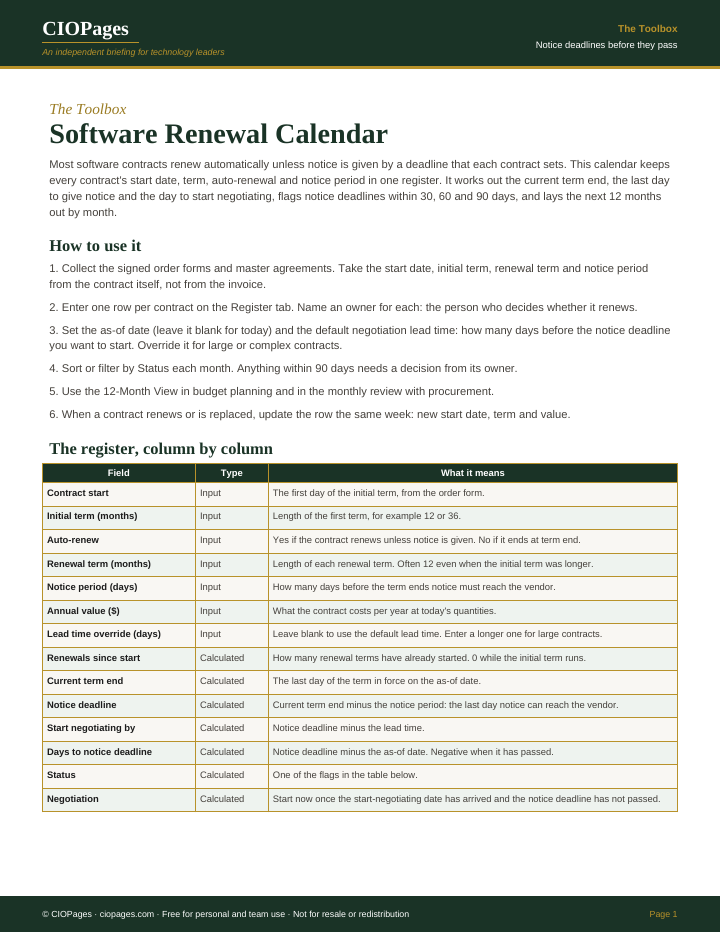
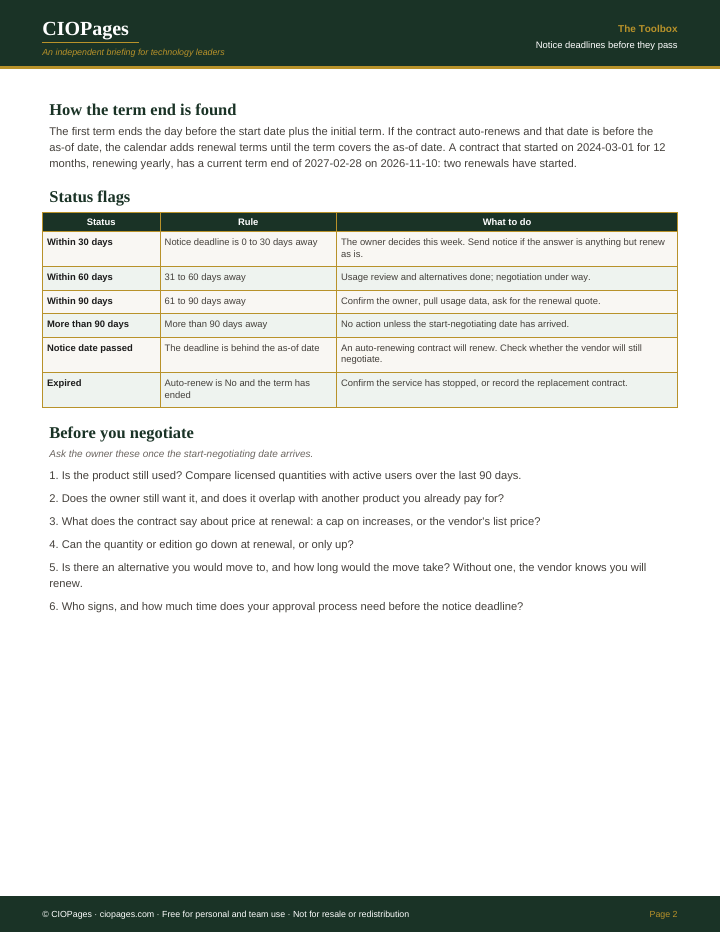
Pages 1 and 2 of 4 of the PDF. Select an image to enlarge it.
Who uses it
- CIOs and IT finance leads, to see every renewal coming in the next 12 months and the value attached to it.
- Procurement and vendor managers, to start each negotiation early enough to have an alternative.
- SaaS and software asset managers, to bring usage data to each renewal before the notice date.
- Contract owners in the business, to know when their decision is needed.
When to use it
- A contract renewed automatically because nobody saw the notice deadline.
- Software contracts are spread across departments, cards and resellers, with no single list.
- Budget planning needs the timing and value of next year's renewals.
- A vendor raised its price at renewal and there was no time to consider another product.
How to use it
Enter every software contract once, review the status column monthly with procurement, and start each negotiation on its start-negotiating date.
- Collect the order forms and master agreements and take the start date, initial term, renewal term and notice period from the contract text.
- Enter one row per contract on the Register tab with its annual value and a named owner.
- Set the as-of date (blank uses today) and the default lead time, and override the lead time for large or complex contracts.
- Review the Status and Negotiation columns monthly; anything within 90 days needs a decision from its owner.
- When the start-negotiating date arrives, answer the six questions on the Before you negotiate tab.
- Use the 12-Month View for budget planning, and update a row the week a contract renews or is replaced.
You leave with: One register of software contracts with the notice deadline and start-negotiating date for each, the contracts that need a decision now, and a month-by-month view of the next year's renewals and their value.
Where it goes wrong
- Taking dates from invoices instead of the contract. The invoice date is not the term start, and invoices do not show the notice period.
- Treating the notice deadline as the start of the work. By then there is no time to evaluate an alternative, so the vendor knows the contract will renew.
- Leaving contracts without an owner. A deadline with nobody to decide passes like one nobody saw.
- Not checking how notice must be given. Some contracts require written notice to a named address, and an email to the account manager may not count.
Get the calendar and contract register
It is free. Enter your work email and we send the download link.
Questions
How is the notice deadline calculated?
The current term end minus the notice period in days. The term end is the start date plus the initial term, minus one day; for a contract that auto-renews, the worksheet adds renewal terms until the term covers the as-of date.
How much lead time should I set before the notice deadline?
Enough to check usage, compare alternatives and get approval before the notice deadline. The worksheet uses 90 days as a sample default; set your own, and set a longer lead time for large contracts where moving to another product would take months.
Does the calendar handle contracts that do not auto-renew?
Yes. Set Auto-renew to No. The term end is the end of the initial term, the notice deadline still shows the date to tell the vendor your intent, and the status shows Expired once the term has ended.