
The idea behind it
Once staff can use AI tools, requests for AI arrive from every function, each written in its own terms. Without a common intake, the requests that get a pilot are the ones with the loudest sponsor, and the review board learns about the data and the risk only after work has started. An intake form asks every team the same questions: what problem the AI solves, who uses it, which process step changes, what the task costs today, how success will be measured, what data the AI reads, how much it does without a person, and who checks the output.
Triage turns the answers into a route. The form scores value, feasibility and risk on anchored 1-to-5 scales, so two reviewers scoring the same request land close together. It also checks a short list of flags that send a request to review whatever its scores: an area listed in Annex III of the EU AI Act, whose high-risk obligations apply from December 2, 2027 under the Digital Omnibus on AI; a possible prohibited practice under Article 5, which has applied since February 2, 2025; a solely automated decision with legal or similarly significant effects under GDPR Article 22; Restricted data; or an AI that acts alone on output that reaches people outside the company. The routing rule is written down before requests arrive, so the reason for each route can be given in one sentence.
What's inside
- A one-page intake: the problem, the users, the process step, volume and current cost, the success measure, the data and its classification, what the AI does and who checks it.
- Three regulatory checks on the intake: EU AI Act Annex III areas, a possible Article 5 prohibited practice, and solely automated decisions under GDPR Article 22.
- Triage criteria scored 1 to 5 with anchors: three for value, three for feasibility and four for risk. Three of the risk scores follow the intake answers.
- A five-step routing rule that gives pilot, needs review or decline, with the reason.
- A worked example for a fictional company, Northwind Logistics, that routes to Pilot, and a triage round of four requests that routes to each outcome.
- The Excel version calculates the current cost, the risk scores, the route and the reason, and adds a triage log for the review board.
Format: PDF (6 pages), Word document and Excel workbook.
A look inside
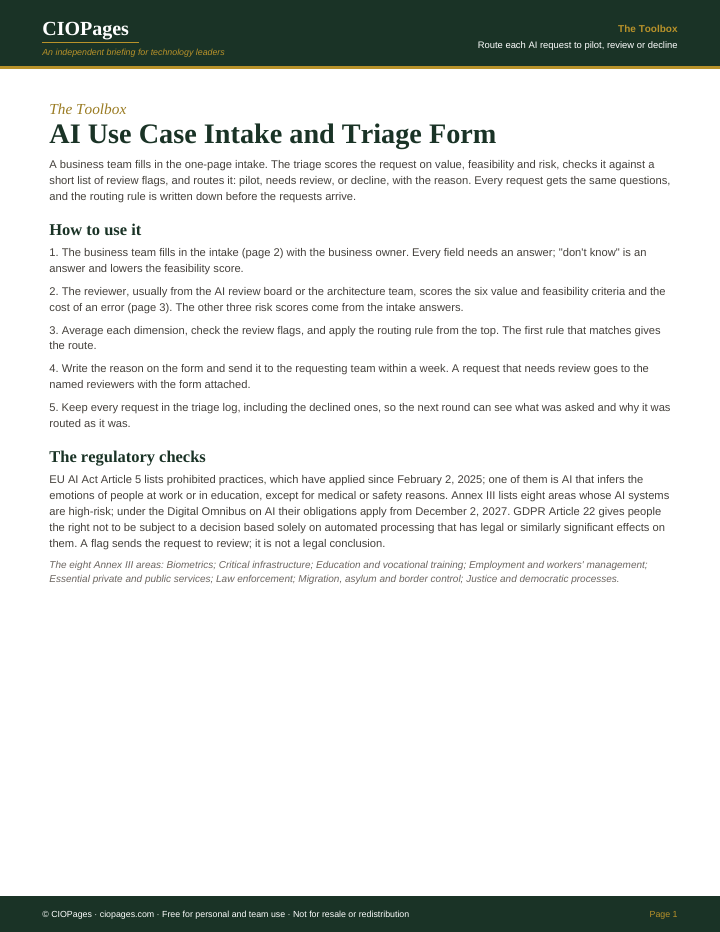
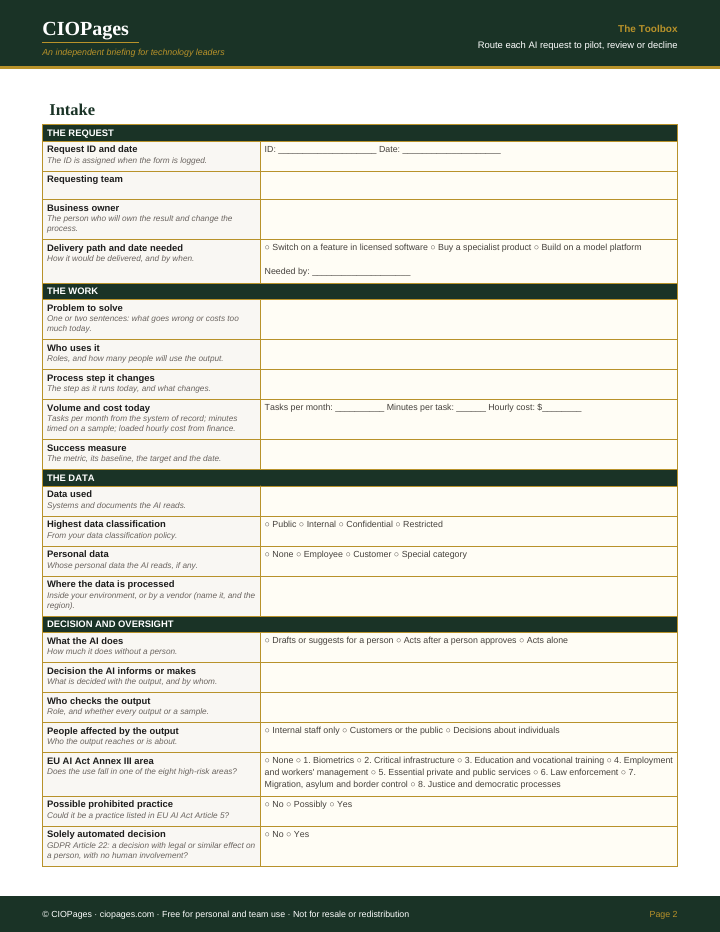
Pages 1 and 2 of 6 of the PDF. Select an image to enlarge it.
Who uses it
- Business owners and function heads, to put an AI idea in a form the review board can act on.
- AI review board members and enterprise architects, to score requests the same way and route them with a stated reason.
- Privacy, legal and risk teams, to see the data classification and the regulatory flags before a pilot starts.
- CIOs and heads of AI, to keep one list of every request, including the declined ones.
When to use it
- Several functions are asking for AI at once and there is no agreed way to choose between them.
- A team wants to switch on an AI feature in software the company already licenses.
- A request touches hiring, credit, insurance pricing or other decisions about individuals.
- The AI review board is being set up and needs a standard form and routing rule.
How to use it
The business team fills in the intake with its business owner; the AI review board or architecture team scores it and sends back the route and the reason.
- Agree the routing thresholds with the AI review board before the first request. The Excel version holds them as editable cells.
- The requesting team fills in the intake with its business owner, including volume, minutes per task and hourly cost, which give the current monthly cost.
- The reviewer scores the three value and three feasibility criteria and the cost of an error against the anchors. Data sensitivity, autonomy and people affected are scored from the intake answers.
- Apply the routing rule from the top: decline a possible Article 5 practice or a value score below 2.0; send any review flag or a risk score of 3.5 or more to review; pilot when value and feasibility are both 3.0 or more.
- Write the route and the reason on the form and send it to the requesting team, naming the reviewers for a request that needs review.
- Record every request in the triage log, with its scores and route.
You leave with: Each AI request scored on value, feasibility and risk, routed to pilot, review or decline with a one-sentence reason, and a log of every request and its route.
Where it goes wrong
- Scoring value from the sponsor's enthusiasm. The anchors ask for a measured baseline and an agreed target; without them value criterion 2 scores 1.
- Treating a regulatory flag as a legal conclusion. A flag sends the request to the people who make that call.
- Changing the thresholds during a triage round to let a favored request through.
- Dropping declined requests from the log, so the same request comes back in six months with no record of why it was declined.
Get the form
It is free. Enter your work email and we send the download link.
Questions
What should an AI use case intake form ask?
The problem, the users, the process step that changes, the volume and current cost of the task, the success measure with its baseline, the data used and its classification, how much the AI does without a person, who checks the output, and who is affected. This form also asks three regulatory questions: EU AI Act Annex III, Article 5 and GDPR Article 22.
How do you prioritize AI use cases?
Score each on value, feasibility and risk against written anchors, then apply a routing rule agreed in advance. In this form a request goes to pilot when value and feasibility both score 3.0 or more and no review flag applies.
When does an AI request need extra review?
When it may fall in an EU AI Act Annex III area or be an Article 5 practice, makes a solely automated decision with legal or similar effect on a person, uses Restricted data, acts alone on output that reaches people outside the company, or scores 3.5 or more on risk.